Android Desktop mode (Android 17)
previously
Continuing my quest to using my Google Pixel 9 Pro Android phone as thin client in a docking station, with GrapheneOS build 2026062801, Android 17, previously Android 16.
Experience
With the 2026062801 build, you plug the phone into the docking station, select the display mode to extend the screen to the external display, and it just works. The mouse and keyboard input work anyway, and the phone asks you whether to connect the screen as a secondary display or to mirror the phone screen to the external display.
Improvements
The task bar on the external screen now works without alignment and mouse detection issues.
Opening an app to the big screen or moving it to the big screen now works by launching it from the big screen instead of mobile screen.
Opening the settings from the top pulldown menu on the external screen opens the settings on the small screen. Launching the settings app from the menu launches it on the external screen as it should.
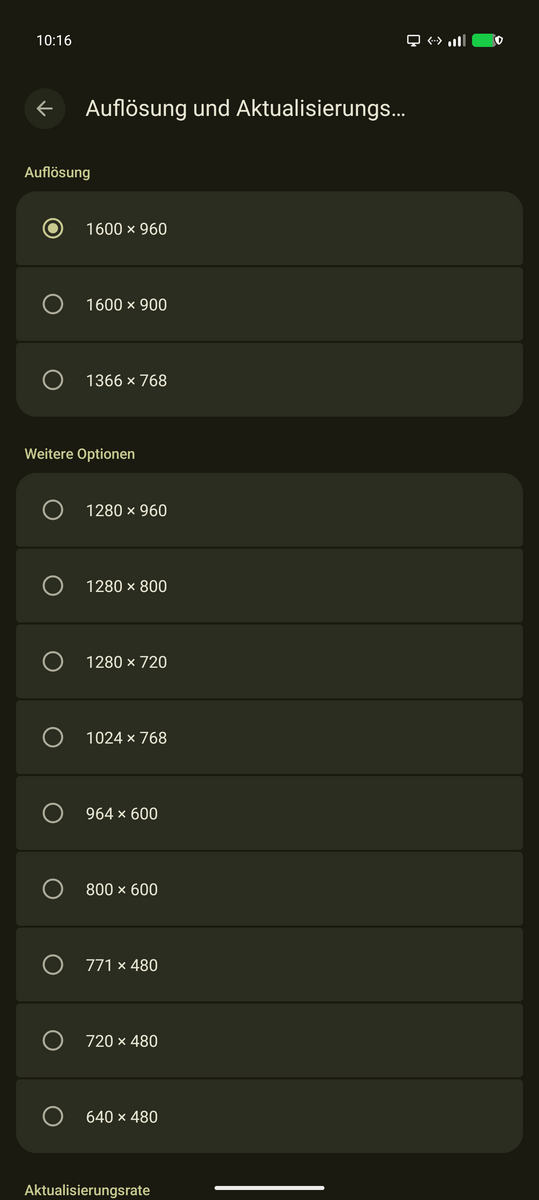
Screen dimensions can now be selected. Weirdly, on a 2560x1600 display, selecting 2560x1600 gave a crisp picture which still was constrained to a 1600x980 like screen with black bars to the left and right. I assume that the external DP alt mode has a limitation to 1600px width in data transfer. On my local 11" 4k display, the different resolutions top out at 2048x1152. This is acceptable for the size of the display, but I would still like to use a larger resolution.
Bluetooth audio output works, but the microphone remains mute.
Initially external cameras did not work inside the $work Citrix workspace app. They get shown by the app but don't show up in Teams. There was a permissions pop-up on the phone screen to allow the app access to the USB-connected external camera, after selecting the external camera in the Citrix app menu. Allowing that permission via the phone screen made the camera usable within MS Teams on the remote end. The camera resolution seemed to be degraded, but that's maybe due to the Logitech 920c camera having a subpar UVC implementation?
USB and Thunderbolt cables
The orders for the various USB-C / USB-C cables arrived since the last experiment, and the results vary, as seems to be expected with the new world of basically indistinguishable cabling we live in.
I ordered two Thunderbolt 5 120Gbps, 240W cables, one 0,5m length and one 1m length, with the "5" displayed on the connectors. I also ordered a "Compatible with Thunderbolt 5" cable by SUMPK.
The SUMPK cable has the mildly annoying disfeature that the display connection is not necessarily detected as 1600x900 , but sometimes only as 1280x720. I attribute this to the connection quality.
With the two Thunderbolt 5 "certified" cables, the display resolution gets up to 2048x1152 , but the external display still retains the DPI scaling, so the improvement in fidelity does not result in more information getting shown on the screen.
At least I now have a set of cables that are known good cables for the phone connection and I will bring such a cable with me for when I need to hook up the phone to a docking station.
In the end, the phone is now a workable brain to use as a remote desktop client with Android 17.