Recently I was at a conference that only published their agenda as a .pdf
file. While I had ample time to manually transcribe the agenda into my
calendar, I wanted a more automated approach, maybe using one of these
newfangled LLM things that are said to be able to extract text from images
based on a simple prompt. Extracting event information from the agenda
would likely also expand well to pictures snapped of concert posters with
my phone camera, just to get a placeholder in my calendar.
If you subscribe to one of the large phone ecosystems, a lot of this functionality already exists.
Google Lens can extract the event dates from pictures for example. But I
don't share my calendar with neither Google nor Apple, so I want a more custom
and more streamlined application.
Since toying around with Net::CalDAV::FindEntry,
I feel familiar enough with CalDAV and Net::CalDAVTalk
to see the import as no problem. The resulting application should be
a two-page basic web application that is reachable via my private network.
Extracting the information is easy by using GLM-4.6V. This means of course sharing
that information with some outside party, but it is only potential events and not my whole
calendar that I'm sharing.
The code also lives on Github,
at least until I move back from Github to self-hosted git repositories.
Application structure
As usual, I wrote the app in Perl, using Mojolicious and I also sprinkled
some HTMX 4 on it, for some interactivity. For example, the image upload
form does not need a second click to actually upload the selected image.
Also, while processing the image with the LLM, the page automatically
refreshes until the results are in.
The steps (and pages) of the app
Upload
Uploading consists of an image and also an optional prompt, to maybe reduce
the number of events created. I found that some nudging for events in the past
or in the future was needed. Uploading the image happens together with
pressing the camera icon. This is not great if you selected the wrong image,
but that happens rarely to me and adding another image isn't that bad.
Processing
I was too lazy to capture the reloading while the extraction is processing.
Results
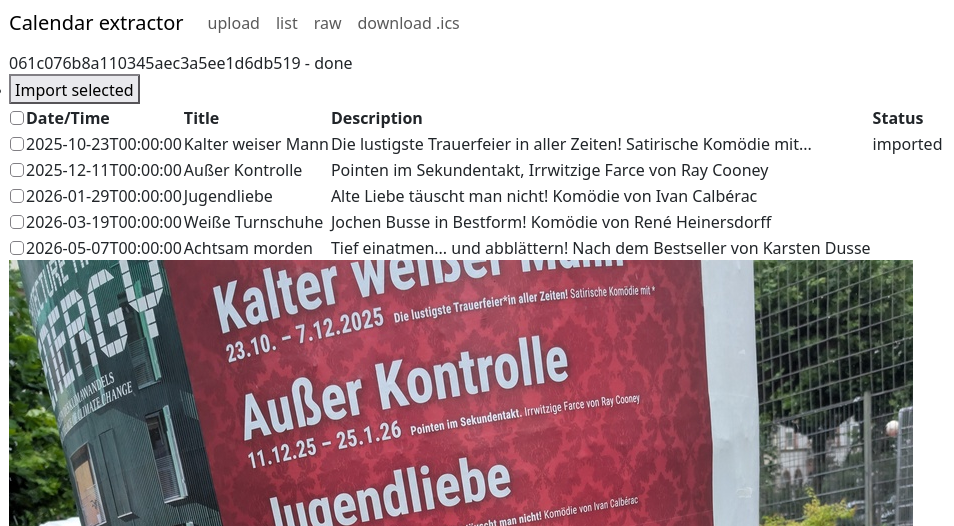
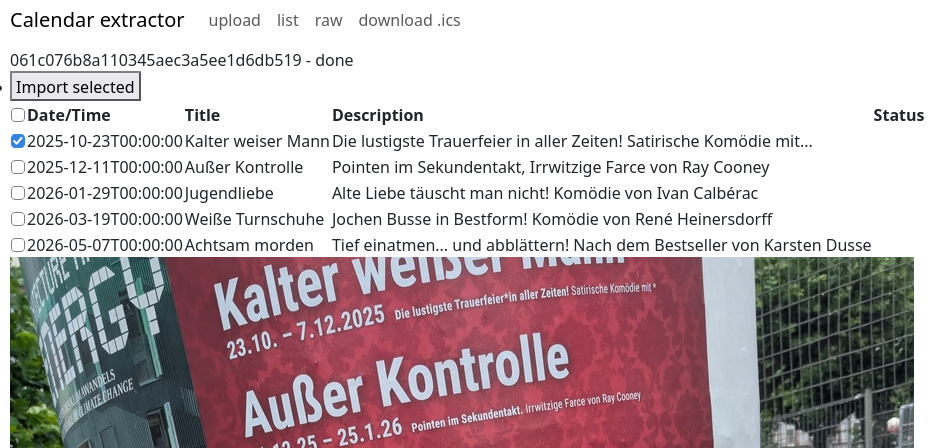
The results page allows to select events for import and also shows the preview
with title and description. The text recognition isn't always great, but
it is Good Enough for my needs.
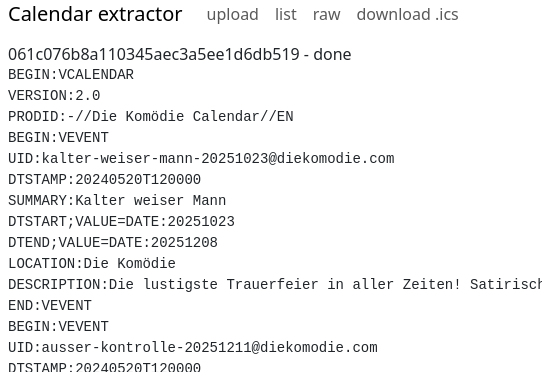
At least for debugging, I also wanted a quick way to inspect the generated
.ics calendar data, so I added the "raw" view. This displays the raw
data in all its g(l)ory.
Imported event
After importing, the app also checks my calendar whether the event has already
been imported. This is highly convenient for me to see whether everything
actually worked.
Developing with GLM-5.3
I used GLM-5.3 for parts of the development. I had the model write most of the
test suite and also had it review the HTML and the use of HTMX. It found some
things that would have been annoying for me to find, like double id
attributes on HTML elements, old HTMX attributes that HTMX 4 does not support
anymore.
The fixes the model proposed were also of acceptable quality, but I did not
let it create new features alone. Everything was tightly guided, which results
in code quality that I am content with.
We did the almost-annual unconference, this time at the Saalbau Bornheim. The
attendance was expectedly low at 5 persons, one person joining us from
Amsterdam and one person joining us from Darmstadt, the rest being Frankfurt.pm
regulars.
None of us had prepared anything in a presentation format, with slides, but
we had a lot to talk about regarding the use of LLMs and what that means
for the economy and also for us personally. I spoke a lot about how I don't
see that the AI frontier labs can ever recoup the money they've pledged on
datacenters. We also mused about why Chinese labs are giving away their models
and also why Mark Zuckerberg is doing the same with Llama-2 and Llama-3. We
concluded that this is their strategic approach to prevent a hegemony by the
other two frontier labs.
Tech-wise, we looked at some approaches to LLMs. I showed my (yet) unpublished
skeleton files for Perl modules and Mojolicious applications. I've found that
giving LLMs like GLM-5.3 files to work from tends to prod the model to
produce code close to that style. Since I prefer that style to other styles,
I've found this approach very successful.
In addition, we also looked at how
superpowers
works and that a good side benefit of using it is that you get some test files
written by the LLM already. We all found that creating test files is a good
use of LLMs. Since the code in test files is disposable and if the test file
is written in a too complex way, you can just delete it or rewrite it without
consequences on the main code.
My main comparison was between the two approaches I'd used for writing two
applications. One application was an extractor that creates CalDAV entries
from a picture of an event poster. I had created that script using GLM-5.3
as a one-shot without superpowers. The resulting code worked, and used GLM-4.6V
to parse the image and create the .ics output. The resulting code also
was very icky to work with, spending far more lines on various configurability
I would never use and precautions against missing tools that would never be
missing.
The other application was a web frontend to the pi agent, to make it more
convenient for me to use LLMs. Using the browser allows me to create fancy
widgets to display the status of the test suite and also submit screenshots
to the LLM for reference. I created this frontend using a relatively detailed
list of features and also described which functionality should be implemented
in what file, providing structure to the LLM. This approach resulted in much
better and much more maintainable code than the one-shot leaving the LLM
to implement things all on its own.
For lunch, we went to a new Chinese-style place with handmade noodles. I had a
reasonably priced beef soup with handmade noodles. It was very spicy but
otherwise good.
After lunch, we discussed the use of Perl to tie together some tools for
language and speech analysis. We looked at how different Chinese is from
other languages, and how different Cantonese and Mandarin are.
Recently I took up
photography
again. Or rather, I made more of a conscious effort to take pictures again, as
opposed to snapping them. I have
my existing image import pipeline,
which copies the files from the devices to my central server into timestamped
directories.
Recently I actually exhausted the storage of my mobile phone and that made me
realize that I want to run my photo import via rsync from abroad on my phone
instead of local-only copying via mounted drives.
Reading files
Before the change, the program took all files in the DCIM directory and
copied them via an SMB mount to the central server:
Find all files in DCIM/Camera directories
Read the image creation times from image EXIF data
Upload all files into directories grouped by their timestamps
Move all files into the DCIM/Camera/archive as a safety measure. I manually delete the archive/ directory from time to time
But running the import on a gphoto2 mounted directory does not allow to move transferred files to the DCIM/archive directory.
This would be ameliorated by using rsync. but a more discerning approach is still needed since I might have renamed the target directories
on the central server in the meantime.
The new approach addresses these points
Find all files in DCIM/Camera directories
Find (rough) creation date from image filename (fast), or from image EXIF data (slow, needed for sequentially numbered image file names)
Read the remote directories starting from the earliest image timestamp
Associate each image with a target directory
if it already exists on the remote side, use that directory
use the image timestamp for the image otherwise
Upload all files into their target directories using rsync
Using rsync and always transferring / synchronizing all images makes the transfer resilient against network failures and partial transfers.
Looking at the already existing filenames on the target end also opens the door to reading calendar entries and creating the directories with their calendar entry outright, as I've decoupled the directory name from the image creation timestamp.
Having an ssh remote target
Moving to rsync also enables backing up to a remote machine over ssh. To move the files into the appropriate locations, I also need to read remote directories.
I did not find an established module on CPAN for this. Filesys::Virtual::SSH is OKish, but I don't like the API
of Filesys::Virtual overall. I only needed a single routine to read a remote directory, so I wrote a very simple wrapper:
sub r_readdir($dir, $type="d") {
    if( $dir =~ m!^ssh:(?<host>(\w+\@)?[^:]+):(?<path>.*)! ) {
        my $p = $-{path}->[0];

        my $cmd = "ssh '$-{host}->[0]' 'find \"$p\" -type $type'";

        currently("Reading '$p'");
        if($verbose) {
            $printer->output_permanent($cmd);
        }

        return map { s!^\Q$p\E[/\\]?!!r }
            split /\r?\n/,readpipe( $cmd );
    } else {
        opendir my $dh, $dir
            or die "Can't read '$dir': $!";
        return readdir($dh);
    }
}
This allows me to keep all filtering local in perl, which is not efficient over the
network but highly efficient in protecting me from needing to shell-escape all the commands.
Naming the image import directories
I often end up with directories named 20260417-1603 , which is better than
nothing. But I still would like to know what happened then. Often I have an
entry in my calendar which might be so-and-sos birthday party, or some
conference or whatnot, and having the computer automatically naming the
directory according to the calendar is a nice touch. I've put off this for a
long time, but now I've actually released
Net::CalDAV::FindEntry
to make this convenient:
my @relevant_events = $cal->get_events(
    after    => $image_timestamp,
    before   => $image_timestamp,
    calendar => 'Corion'
);

# We blindly take the event that started closest before the photo was taken
my ($ev) = sort { $a->{start} cmp $b->{start} } @relevant_events;
if( $ev ) {
  $target_directory{ $image } //= "$image_timestamp - $ev->{title}";
}
With that line added, I get conveniently pre-named directory names on the
central server. It's still not perfect, as the directory naming needs to
respect timezones
while the image timestamps are either in a floating timezone or GMT,
but this gets me a long step forward in convenience. Also, I need to clean
up the titles of the calendar entries to make them suitable as directory names.
Originally I thought
Text::CleanFragment
would be good for this, but it replaces spaces with underscores, which I do
not want in the directory names, so I wrote a small ad-hoc sanitizer
for that. So there still is work to do in the future.
One of my yearly things is to post-process and publish the videos
we (well, Lee Johnson) record of the German Perl Workshop.
The videos get recorded in OBS Studio and already get the
sidebar with the sponsor information, talk and speaker information. After the workshop has
concluded, these files then need to be post-processed.
Most of it is automated with a large Makefile. This covers
Importing the talk metadata from Act
Setting up a cutting pipeline to trim the talks
Adding the metadata of speaker and talk title to each video
Adding a header and a trailer to each talk
My main tasks there are to create an SVG image to use as a titlecard, and to wrestle with ffmpeg
so it uses hardware acceleration instead of only CPU processing.
After producing the final videos, each talk gets reviewed for obvious bad stuff, like audio cutting out
or otherwise too bad quality.
The last step then is to upload the videos to Youtube, create a new playlist there and retitle
all the uploaded videos with the event, speaker and title. This is mostly a manual task, since automating
Youtube would mean to have to deal with another always-shifting API.
After all these manual steps, I'm still happy to present the GPW2026 videos
to you.
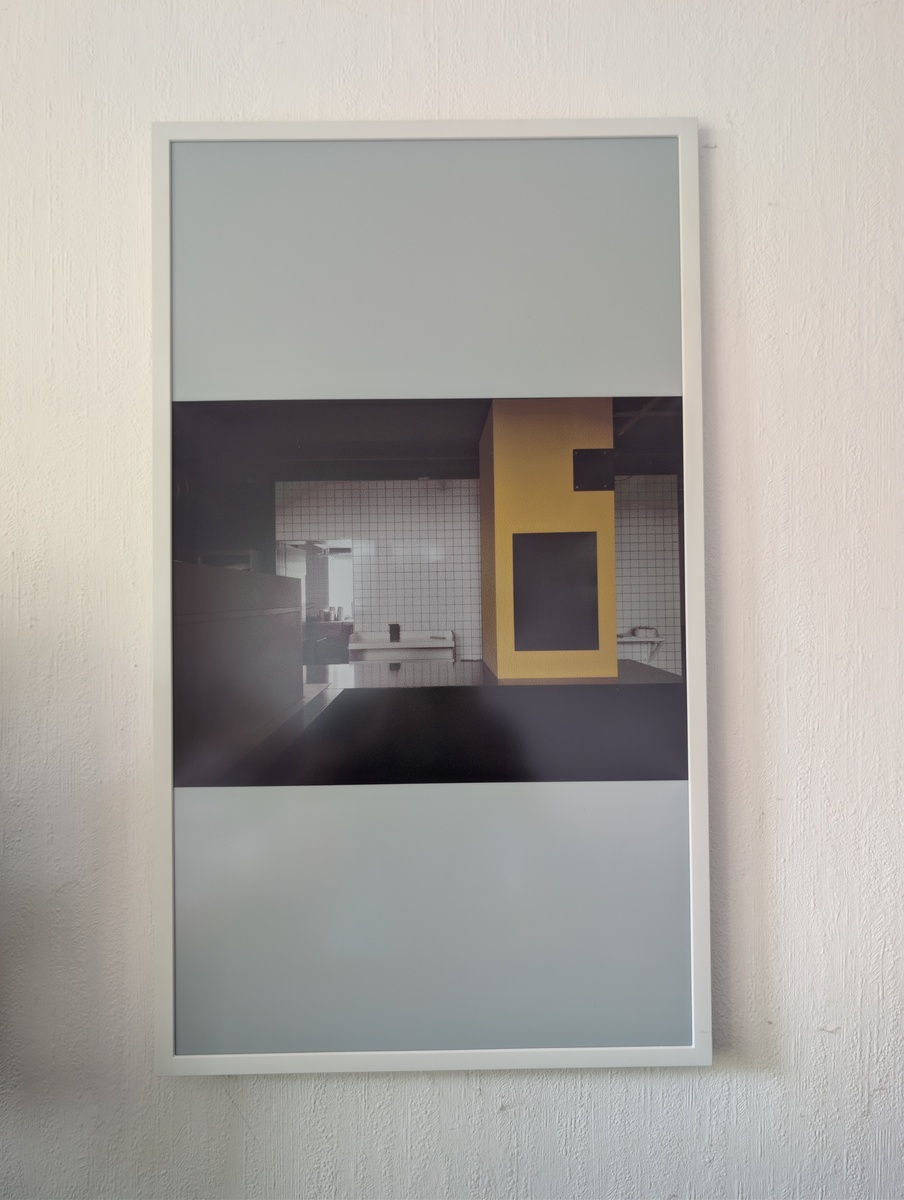
Now that I have a shell script to send images to my Eink display, I'm looking
at improving the experience. Mostly by porting the tools to Perl to better
integrate them with my other tools. But also, by making it more convenient to
find and select new images to display on the screen.
Shell script
I want to build a good collection of images to display on the Eink display.
As I often lose track of the filename of a very good looking image (
I'm already looking at it on the display and I like it, why should I bother with the filename?
), I've added logging to my interim shell script so that I have a log of files
to go through and re-evaluate.
I'm using JSONL as the log format, not because it is especially easy to create
from the shell, but it is highly convenient for later processing with other
tools.
#!/usr/bin/perl
use 5.020;
use JSON::Tiny 'encode_json';
use Getopt::Long (qw(:config pass_through permute)); # stop at the first unknown option or first argument
use POSIX 'strftime';

my $result = {};

my $name;

GetOptions(
    '<>' => sub( $v ) { if( ! $name ) { $name = $v =~ s/^--//r; } else { $result->{$name} = $v; undef $name }; },
);

$result->{ timestamp } //= strftime '%Y-%m-%dT%H:%M:%SZ', gmtime();

say encode_json( $result );
I've also added bas64-encoded thumbnail images to the log lines so that I can
easily display the logfile as an HTML page to better pick out good images or
images to discard.
Shell integration
After adding the appropriate file in ~/.local/share/applications/eink.desktop
I can send any image to the frame by using a right-click. This is highly
convenient and encourages me to quickly try out new images.
The Perl port of the sender script will likely use
request/response mechanism, easily adapted into Future / Future::Mojo
I need to port the mdc Javascript module and create a test suite to properly
encode the blobs.
MDC documentation PDF
While looking at the Javascript code, I found the official MDC documentation
version 15.0 PDF from 2020-11-06 . This describes the actual protocol
(serial, or over IP) in detail.
The command blocks are simple, consisting only of 8-bit bytes. This is a
problem for payloads (like URLs) that are longer than 230 bytes. But for my
use-case, that is no problem.
The inconvenient thing is that the length does not immediately precede the
payload, so that unpack does not work. Instead I've used a regular expression
to extract the parts.
The blobs are sent and received via port 1515. I have not found a way to
change this port, but I'm not sure why I would want that.