Why?
Still using z.ai GLM as my main model, I was looking
at other harnesses for using the model. Opencode
is an Open Source coding harness that supports z.ai. The harness still has
UI problems, which is the main point of a harness, so I likely won't be using
it in the near time. I wonder if it will ever get away from the fancy slop
machine, but maybe if most of your time with a program is watching the model in
it output text, then having some colourful distractions / blinking lights is
attractive for people.
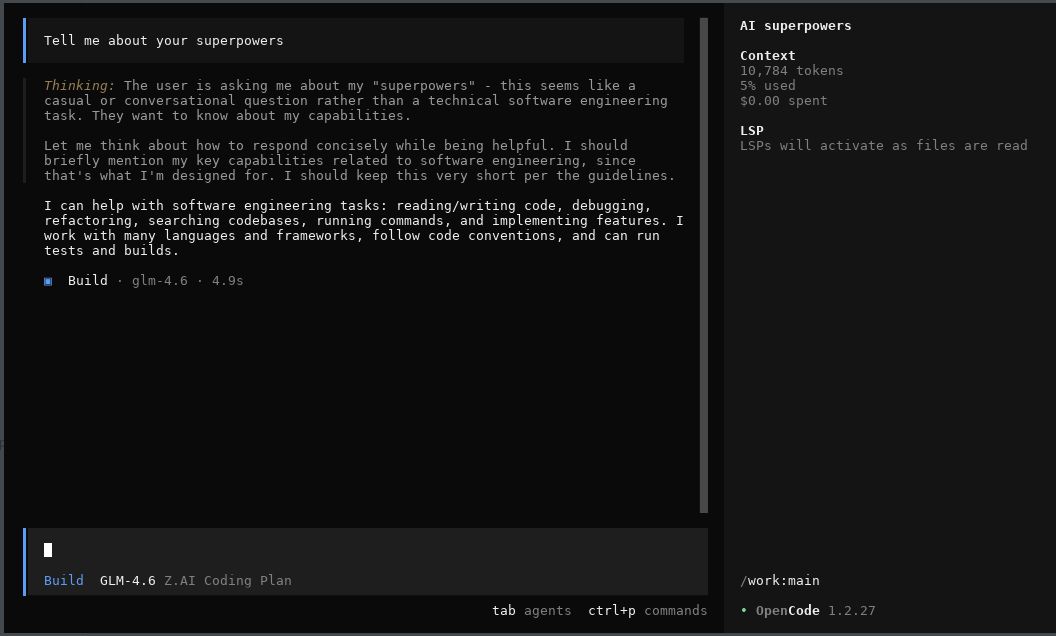
How it should look:
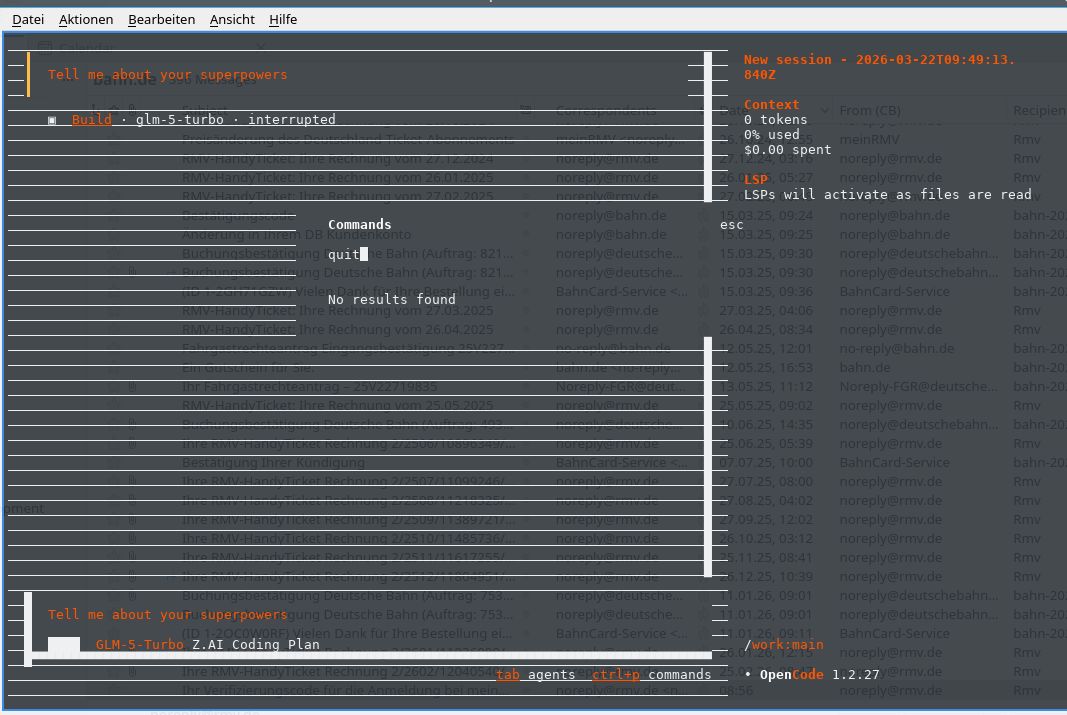
How it looks:
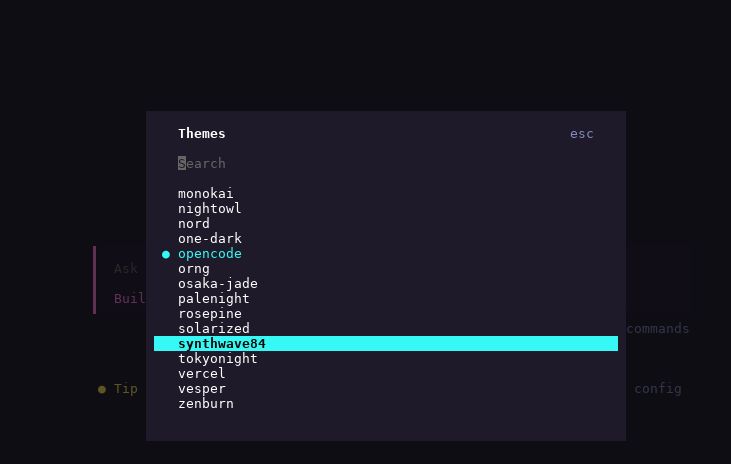
No option for making the UI monochrome:
Opencode has had some bad defaults in the name of user convenience, like
sending all prompts to Groks free tier
just for coming up with chat summaries for the UI. It seems that now
the defaults don't do that anymore,
but this weakens my trust in the harness.
Installation
Installing Opencode client just follows the default installation via npm.
Config setup
I did the model configuration within Opencode as outlined
in the z.ai OpenCode instructions:
opencode auth login
and entered there a fresh API token from
the z.ai API key page.
Afterwards I had to actively select the GLM 4.7 model.
Containerfile creating a container for CC-with-GLM4.7
The Containerfile I used for this harness is as follows:
FROM docker.io/library/debian:trixie-slim
# debian-trixie-slim
RUN <<EOF
apt update

# Install our packages
DEBIAN_FRONTEND=noninteractive TZ=Etc/UTC apt-get install -y npm perl build-essential imagemagick git apache2 wireguard wget curl cpanminus liblocal-lib-perl ripgrep
EOF

RUN <<EOF

# Install opencode
npm install -g opencode-ai

# Set up our directories to be mountable from the outside
mkdir -p /work
mkdir -p /tools
mkdir -p /root/.config/opencode

# Now you need to login manually with opencode :-/
# opencode auth login
EOF

# Add claude to the search path
ENV PATH="/usr/local/sbin:/usr/local/bin:/usr/sbin:/usr/bin:/sbin:/bin:/root/.local/bin"
ENTRYPOINT ["bash"]
CMD ["-i"]
launched as
podman run --rm -it -v /home/corion/agents/claude/mailagent-meeting-setup:/work -v /home/corion/agents/opencode/.opencode:/root/.opencode -e IS_SANDBOX=1 -e FORCE_COLOR=0 opencode-runner:latest
I wanted to add some progressive enhancement to a small web app I wrote. Like many of these small tools, it has a <textarea> for entering some text.
For progressive enhancement, I wanted to switch that textarea to an instance of the Monaco code editor if Javascript is enabled. But surprisingly, Monaco does not have a simple .attach('textarea') API. Thinking that this should be a simple matter of coding, I wrote down my ideas about the API and then set the GLM model by z.ai onto the task, mediated by the Claude program. Here is the prompt / checklist I gave it:
The overall goal is to implement a function in a Javascript module that allows progressive enhancement of
`textarea` elements with the Monaco editor.

* [ ] suggest a name for the module
    * maybe something like `progressive-textarea-monaco`, but maybe there is something more fitting in the Javascript world
    * list three to five alternatives with precedent in the Javascript world
* [ ] main function is `function attach( selector )`
    * if `selector` is not given, `selector` should simply match `textarea`
    * attaches a Monaco instance to all `textarea` elements matched by `selector` by doing the following steps
       * insert empty `div` after the `textarea` element
       * attach Monaco to the new `div`
       * fill Monaco editor with the content of the `textarea` element
       * hide the `textarea` element
       * attach `change` handlers to Monaco that update the `value` property of the `textarea` element so that `form` submission still works as expected
* [ ] manual testing will be enough, but if automated testing without a browser is possible, test it to the extent possible

## Example HTML file

```html
<!DOCTYPE html>
<html>
<head>
<script src="https://unpkg.com/monaco-editor@latest/min/vs/loader.js"></script>
</head>
<body>
<textarea>This is some text
in the text area
</textarea>
</body>
</html>
```
It produced some code which I then fixed up.
Here is the resulting code, not yet uploaded to npm (and thus available via unpkg etc.), as I'm not really thinking the code should be published even though it does the task I set out:
import {
  getTextareas,
  isAttached,
  markAttached,
  unmarkAttached,
  createContainer,
  hideTextarea,
  showTextarea,
  debounce,
  defaultErrorHandler
} from './utils.js';

import { ensureMonaco } from './loader.js';

/**
 * @typedef {import('monaco-editor').editor.IStandaloneCodeEditor} MonacoEditor
 */

/**
 * Track all Monaco instances and their associated textareas
 * @type {Map<TextareaElement, { editor: MonacoEditor, container: HTMLDivElement, disposeChangeHandler: Function }>}
 */
const instances = new Map();

/**
 * Sync Monaco content to textarea
 * @param {MonacoEditor} editor
 * @param {TextareaElement} textarea
 */
const syncToTextarea = debounce((editor, textarea) => {
  textarea.value = editor.getValue();
  const event = new Event('change');
  textarea.dispatchEvent(event);
}, 50);

/**
 * Attach Monaco to a single textarea
 * @param {typeof import('monaco-editor')} monaco
 * @param {TextareaElement} textarea
 * @param {Object} options
 * @param {Object} [options.monacoOptions={}]
 * @param {Function} [options.onError]
 * @returns {boolean} - true if successfully attached
 */
function attachToTextarea(monaco, textarea, options = {}) {
  // Skip if already attached
  if (isAttached(textarea)) {
    return false;
  }

  try {
    // Create container and insert after textarea
    const container = createContainer(textarea);
    textarea.parentNode.insertBefore(container, textarea.nextSibling);

    // Initialize Monaco editor
    const editor = monaco.editor.create(container, {
      value: textarea.value,
      ...options.monacoOptions
    });

    // Setup content sync from Monaco to textarea
    const changeHandler = editor.onDidChangeModelContent(() => {
      syncToTextarea(editor, textarea);
    });

    // Store instance for cleanup
    instances.set(textarea, {
      editor,
      container,
      disposeChangeHandler: () => changeHandler.dispose()
    });

    // Hide textarea and mark as attached
    hideTextarea(textarea);
    markAttached(textarea);

    return true;
  } catch (error) {
    if (options.onError) {
      options.onError(error, textarea, { phase: 'attach' });
    } else {
      defaultErrorHandler(error, textarea, { phase: 'attach' });
    }
    return false;
  }
}

/**
 * Detach Monaco from a single textarea
 * @param {TextareaElement} textarea
 * @returns {boolean} - true if successfully detached
 */
function detachFromTextarea(textarea) {
  const instance = instances.get(textarea);
  if (!instance) {
    return false;
  }

  // Sync final content
  textarea.value = instance.editor.getValue();

  // Dispose Monaco
  instance.disposeChangeHandler();
  instance.editor.dispose();

  // Remove container
  instance.container.remove();

  // Show textarea and unmark
  showTextarea(textarea);
  unmarkAttached(textarea);

  // Remove from tracking
  instances.delete(textarea);

  return true;
}

/**
 * Attach Monaco editor to textarea elements
 *
 * @param {string|HTMLElement|HTMLElement[]} [selector='textarea']
 * @param {Object} [options={}]
 * @param {Object} [options.monacoOptions] - Options passed to Monaco editor constructor
 * @param {string} [options.monacoLoaderUrl] - Custom URL for Monaco loader script
 * @param {string} [options.monacoBaseUrl] - Custom base URL for Monaco
 * @param {Function} [options.onError] - Error callback(error, textarea, context)
 * @returns {Promise<Function>} Cleanup function that detaches Monaco from all attached textareas
 *
 * @example
 * // Basic usage
 * const cleanup = await attach();
 *
 * @example
 * // With selector
 * const cleanup = await attach('textarea.code-editor');
 *
 * @example
 * // With options
 * const cleanup = await attach('textarea', {
 *   monacoOptions: {
 *     theme: 'vs-dark',
 *     language: 'javascript'
 *   }
 * });
 *
 * @example
 * // Cleanup
 * cleanup(); // Detaches all textareas from this attach() call
 *
 * @since 1.0.0
 * @version 1.0.0
 */
export async function attach(selector = 'textarea', options = {}) {
  try {
    const monaco = await ensureMonaco(options);
    const textareas = getTextareas(selector);
    return performAttachment(monaco, textareas, options);
  } catch (error) {
    if (options.onError) {
      options.onError(error, null, { phase: 'load' });
    } else {
      console.warn('monaco-textarea-adapter: Failed to load Monaco', error);
    }
    // Return no-op cleanup function
    return () => {};
  }
}

/**
 * Internal: Perform the actual attachment after Monaco is loaded
 * @param {typeof import('monaco-editor')} monaco
 * @param {TextareaElement[]} textareas
 * @param {Object} options
 * @returns {Function} Cleanup function
 */
export function performAttachment(monaco, textareas, options) {
  const attached = [];

  for (const textarea of textareas) {
    if (attachToTextarea(monaco, textarea, options)) {
      attached.push(textarea);
    }
  }

  return function cleanup() {
    for (const textarea of attached) {
      detachFromTextarea(textarea);
    }
  };
}

/**
 * Get the Monaco editor instance for a textarea
 * @param {TextareaElement} textarea
 * @returns {MonacoEditor | undefined}
 */
export function getMonacoInstance(textarea) {
  const instance = instances.get(textarea);
  return instance?.editor;
}

/**
 * Check if a textarea has Monaco attached
 * @param {TextareaElement} textarea
 * @returns {boolean}
 */
export function isMonacoAttached(textarea) {
  return instances.has(textarea);
}

/**
 * Detach Monaco from all textareas
 * @returns {number} Number of textareas detached
 */
export function detachAll() {
  let count = 0;
  for (const textarea of instances.keys()) {
    if (detachFromTextarea(textarea)) {
      count++;
    }
  }
  return count;
}
Needed manual fixes
- the code is overly convoluted, split up into four separate files
- the code uses a separate
loader.js and rollup as a packaging tool where no such tool would be needed.
- The code keeps a function for "backwards compatibility", except there is no "backwards" to be compatible with
- The code implements a
debounce function that was never specified or asked for, just to reduce the number of updates. The framework I would be using the code with, HTMX, already does its own debouncing.
Unfixable things
Monaco itself is not really suitable for self-hosting / vendoring. Their own
loader.js loading mechanism works, but they have no list of files that are
needed and which directory structure the files / URLs should have. I've gone
back to a plain <textarea> element as that is simply easier to debug and
while Monaco offers many convenient features like syntax highlighting out of
the box, I don't want to fight with its (lack of) installation instructions.
Why?
I started looking at z.ai as an alternative, as I hit
the Claude Code limits far too quickly and often. GLM 4.7 claims to be on par
with Anthropic while only costing USD 36/year at the time I subscribed.
They've now raised their prices to USD 84/year
( non-referral link ).
The Claude Code client currently is still better than the client provided by opencode. Soon, opencode will have a --yolo mode to auto-override all permission prompts.
Maybe it will even support monochrome mode instead of its fruit salad UI, but I think that the allure of all those TUI tools to their creator is to create a colorful slot machine where people spend their tokens.
Installation
Installing the Claude Code client just follows the default installation. I simply reused my existing CC installation.
Config setup
The configuration is where instead of pointing to the Claude Code models, the client is pointed to the GLM models that have the same API.
- Get your API key from the z.ai API key page
Add the following setting to your environment
export ANTHROPIC_AUTH_TOKEN_HELPER='echo "your_zai_api_key"'
Add the "env" block to your (z.ai) .claude.conf
{
    "env": {
        "ANTHROPIC_BASE_URL": "https://api.z.ai/api/anthropic",
        "API_TIMEOUT_MS": "3000000"
    }
}
Launch Claude as usual
Containerfile creating a container for CC-with-GLM4.7
The Containerfile
I used with Claude also works with z.ai , as long as you mount the appropriate config directory.
Lethal Trifecta
All AI agents must live in the Lethal Trifecta as coined
by Simon Willison.
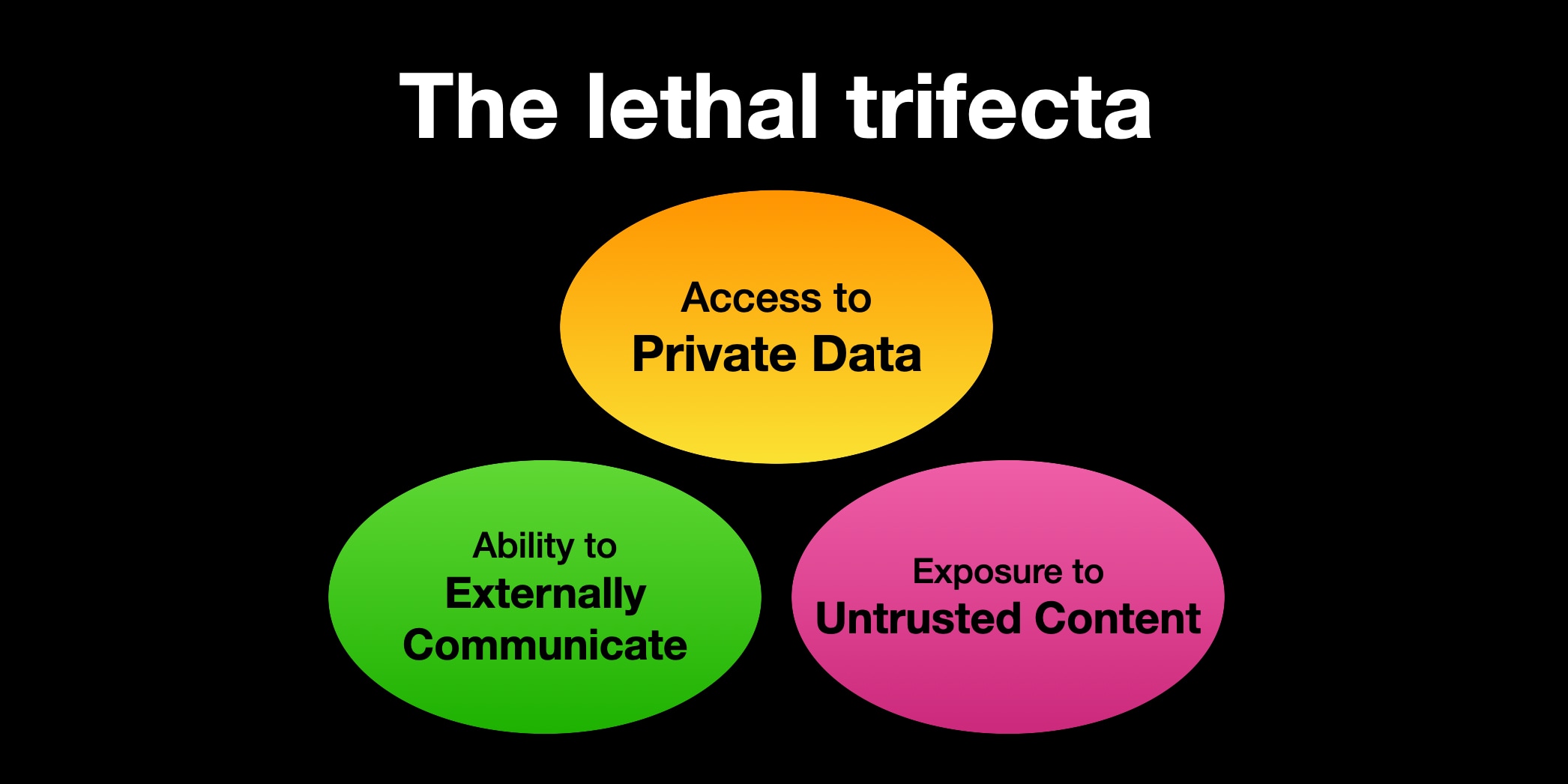
For programming assistants, who need to be online to install modules and to run tests
this basically means they cannot have access to private information. So my solution is to run them
in a podman container where they have read/write access to a directory where I also check out
the code the agent should work on.
This is somewhat in contrast to the current meme of letting an
OpenClaw assistant run with your credentials, your
email address and input from the outside world.
Setup
My setup choses to remove all access to private data, since for programming
an agent does not need access to any data that should not be publically known.
- Claude Code within its own Docker container
- Runs as
root there
- Mount
/home/corion/claude-in-docker/.claude as /root/.claude
- Mount working directory as
/claude
- (maybe) mount other needed directories as read-only, but I haven't felt the need for that
Dockerfile
FROM docker.io/library/debian:trixie-slim
# debian-trixie-slim
RUN <<EOF
apt update

# Install our packages
DEBIAN_FRONTEND=noninteractive TZ=Etc/UTC apt-get install -y npm perl build-essential imagemagick git apache2 wireguard wget curl cpanminus liblocal-lib-perl ripgrep

# Install claude
curl -fsSL https://claude.ai/install.sh | bash

# Set up our directories to be mountable from the outside
mkdir -p /work
mkdir -p /root/.claude

# Now you need to /login with claude :-/

# claude plugins install superpowers@superpowers-marketplace

EOF

# Add claude to the search path
ENV PATH="/usr/local/sbin:/usr/local/bin:/usr/sbin:/usr/bin:/sbin:/bin:/root/.local/bin"
ENTRYPOINT ["bash"]
CMD ["-i"]
Script to launch CC
Of course, the first thing an AI agent is used for is to write a script
that launches the AI agent in a container. This script is
very much still under development as I find more and more use cases that
the script does not cover.
Development notes
While developing the script, I found that Claude Code very much needs
example sections to work from. On its own, it comes up with code that is not
really suitable. This mildly reinforces to me that the average Perl code
used for training is not really good.