App-CaptureAgenda
Create calendar entries from images
Recently I was at a conference that only published their agenda as a .pdf
file. While I had ample time to manually transcribe the agenda into my
calendar, I wanted a more automated approach, maybe using one of these
newfangled LLM things that are said to be able to extract text from images
based on a simple prompt. Extracting event information from the agenda
would likely also expand well to pictures snapped of concert posters with
my phone camera, just to get a placeholder in my calendar.
If you subscribe to one of the large phone ecosystems, a lot of this functionality already exists. Google Lens can extract the event dates from pictures for example. But I don't share my calendar with neither Google nor Apple, so I want a more custom and more streamlined application.
Since toying around with Net::CalDAV::FindEntry, I feel familiar enough with CalDAV and Net::CalDAVTalk to see the import as no problem. The resulting application should be a two-page basic web application that is reachable via my private network. Extracting the information is easy by using GLM-4.6V. This means of course sharing that information with some outside party, but it is only potential events and not my whole calendar that I'm sharing.
The code also lives on Github, at least until I move back from Github to self-hosted git repositories.
Application structure
As usual, I wrote the app in Perl, using Mojolicious and I also sprinkled some HTMX 4 on it, for some interactivity. For example, the image upload form does not need a second click to actually upload the selected image. Also, while processing the image with the LLM, the page automatically refreshes until the results are in.
The steps (and pages) of the app
Upload
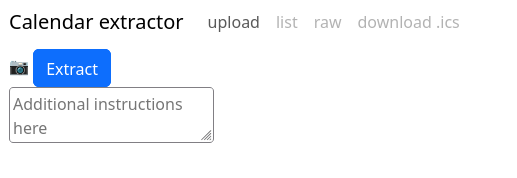
Uploading consists of an image and also an optional prompt, to maybe reduce the number of events created. I found that some nudging for events in the past or in the future was needed. Uploading the image happens together with pressing the camera icon. This is not great if you selected the wrong image, but that happens rarely to me and adding another image isn't that bad.
Processing
I was too lazy to capture the reloading while the extraction is processing.
Results
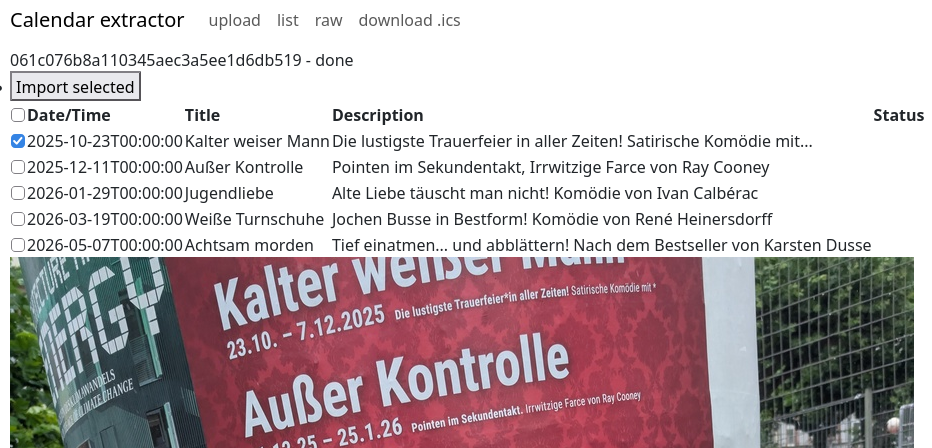
The results page allows to select events for import and also shows the preview with title and description. The text recognition isn't always great, but it is Good Enough for my needs.
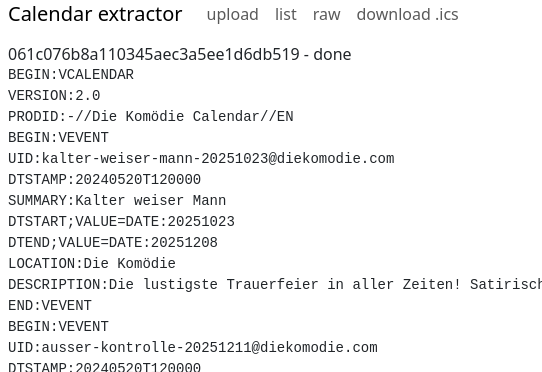
At least for debugging, I also wanted a quick way to inspect the generated
.ics calendar data, so I added the "raw" view. This displays the raw
data in all its g(l)ory.
Imported event
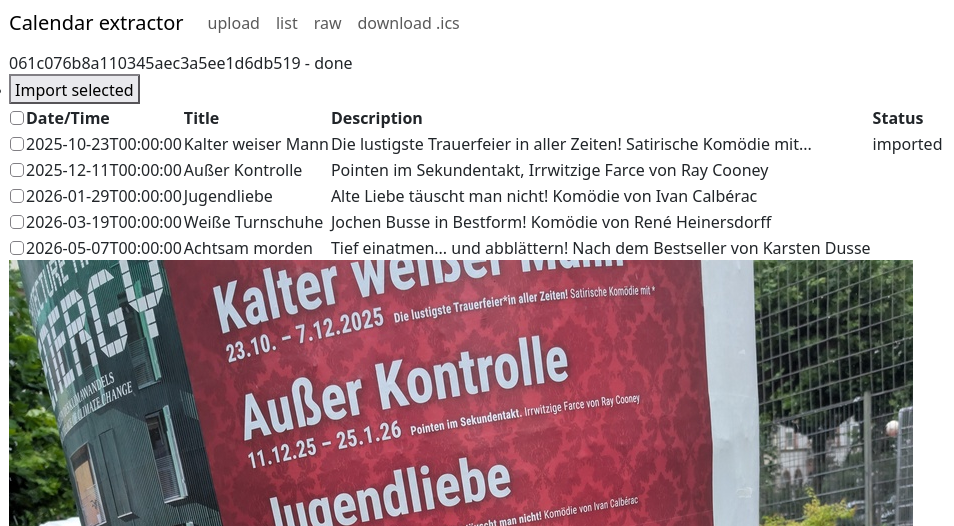
After importing, the app also checks my calendar whether the event has already been imported. This is highly convenient for me to see whether everything actually worked.
Developing with GLM-5.3
I used GLM-5.3 for parts of the development. I had the model write most of the
test suite and also had it review the HTML and the use of HTMX. It found some
things that would have been annoying for me to find, like double id
attributes on HTML elements, old HTMX attributes that HTMX 4 does not support
anymore.
The fixes the model proposed were also of acceptable quality, but I did not let it create new features alone. Everything was tightly guided, which results in code quality that I am content with.